
ACCOUNT
Phone verification path
See where your phone number is entered, when the verification prompt appears and how account access…
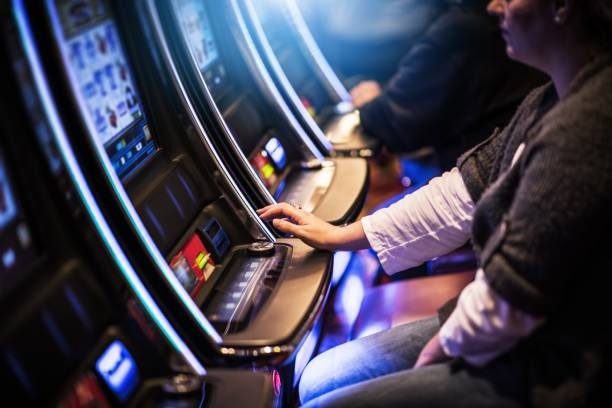
nexbet puts Lightning Roulette Room, Texas Holdem Live, Aviator Mobile Play and sportsbook markets behind one verified account, with DANA…

and Indonesia payment rails are described as service context, where local law permits.

Cards, tables, FAQ and policy pages stay readable on small screens so you can find information on any device.
Casino and slots open from separate home tabs, letting you move between slot search, live dealer tables and fishing rooms without losing the main navigation.
Casino rooms appear first, followed by live tables, fishing rounds and sportsbook access through one clear home screen.
Pragmatic Play, PG Soft and Habanero sit among the studios available through our casino categories, with titles arranged for phone and computer screens.
DANA, OVO, GoPay and QRIS appear as named options in our cashier, so you do not need to guess which wallet route applies.
Clear decisions begin with pages that explain what happens next. We connect Home to account access, cashier status, game rules, policy pages and direct help rather than hiding those areas behind promotional…



A phone number starts the account path, and verification comes before lobby access.
Choose the account option from Home, enter your phone details and complete the verification prompt. We show the next account step on the same path before opening the full lobby.
Your account area holds profile details, password controls and session access. Confirm that your name and phone details are correct before using the cashier or requesting a withdrawal.
Casino and slots sit beside live baccarat, roulette, Dragon Tiger, blackjack and sportsbook markets for football, badminton and basketball. Category tabs keep each area reachable from Home.
Use a private password, close sessions on shared devices and read every verification prompt. Our account path keeps sensitive fields concealed and places help near login and cashier status.
When login or wallet status stalls, the home support panel gives you three direct routes. Live chat handles account-path and current cashier questions, email suits cases that need a receipt attachment, and mobile help keeps the same contact options on a smaller screen. The live chat panel displays its current operating window before you begin. For a faster status check, send the transaction reference, selected rail and visible state, but never include your password or verification code.
Open chat from Home or beside the cashier when a login step or wallet state needs checking. The panel shows current availability before requesting your account reference.
Use email when you need to attach a DANA, OVO, GoPay, QRIS or bank receipt. Include the cashier reference and remove unrelated personal details from images.
The support panel keeps chat and email routes visible on a phone browser. You can copy a transaction reference directly from the mobile cashier status entry.
A phone browser takes you from account access to the home lobby without requiring a separate application.
Phone verification comes before account access, reducing confusion over which details belong to your profile.
A single home route saves you from piecing together account steps, game links and wallet details from disconnected sources.
Return details differ by game and configuration, so we do not present one figure for the entire home lobby.
Read the return data and feature rules inside each selected game window.
Check table limits, stream status and game rules before taking a seat.
Odds and market conditions appear before you confirm a selection.
Controls, round values and available actions appear within the session.
Round controls and displayed multipliers remain visible during each active session.
Our home page is configured for Indonesia, with DANA, OVO, GoPay, QRIS, virtual account and bank transfer context presented in the cashier. Football, badminton and basketball markets appear beside casino categories where local law permits. Availability can vary by location, provider response and account eligibility, so check the access message shown during account entry. The same home route works through supported phone, tablet and computer browsers without requiring a separate application.
The home page is designed around tasks you can identify immediately. Account access begins with phone verification; casino categories separate slots from dealer tables; sportsbook tabs cover football…
These answers cover the questions commonly asked before using our Home page: what the lobby contains, how phone verification works, which Indonesian payment rails appear, what happens on mobile and where transaction help sits. We also explain the relationship between game details, account checks and local access. For a case tied to your profile or cashier, use the support panel and include the visible reference rather than sharing passwords or verification codes.
Start at the account area if you need phone verification or session controls. Move to casino for slots and live tables, or open sportsbook for football, badminton and basketball markets.
Choose the account area, enter your phone details and complete the verification prompt. Correct any profile mismatch before moving to the cashier or lobby.
Open slots, live casino, fishing or sportsbook from the main tabs. Mobile filters help narrow titles without removing the route back to Home.
Select a named rail and follow its displayed instruction. After submission, use the visible status and reference rather than creating a duplicate request.
Open chat or email for account and transaction checks. Terms and privacy wording are available from the footer before and after account access.